How to Use FocusBlock — The Timer Where Focus Stacks Up
FocusBlock is a free focus timer that works the moment you open it. This guide covers the basics through to the jar collection, how skins unlock, tracking what you worked on, and installing it as an app — with real screenshots.
These aren’t mockups drawn for the article. They’re the running app, captured as-is, so nothing here will surprise you when you open it.
Three steps to start
Nothing to set up. Once it loads, there are three things.
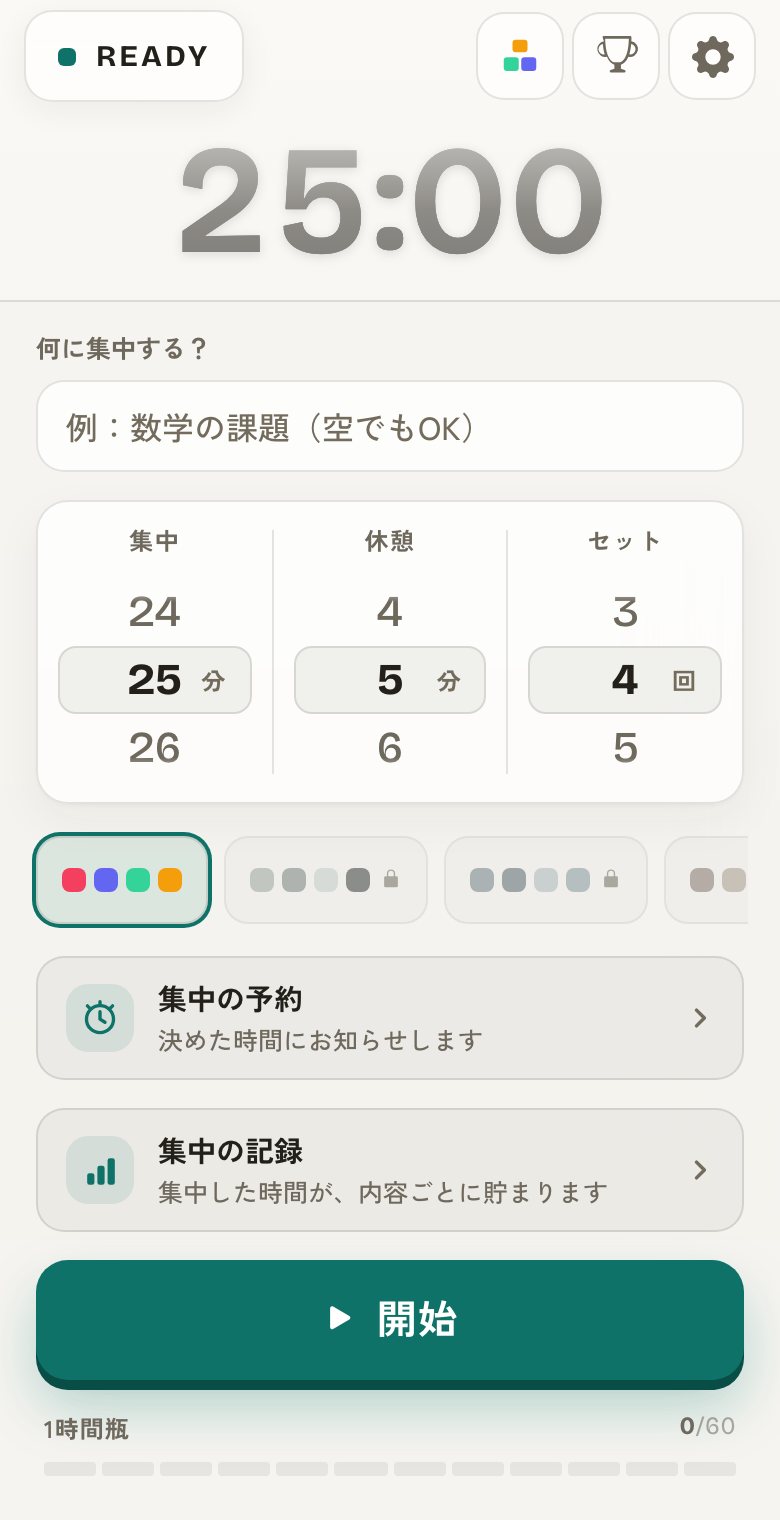
- ① Set focus, break and rounds (defaults: 25 / 5 / 4)
- ② Press start and focus
- ③ Rest when it ends, and let the blocks pour into a jar
The ranges you can set
Each wheel moves in one-minute steps, across these ranges. If 25 minutes doesn’t suit you, change it without hesitation.
- Focus: 1–90 minutes (15 for flashcards, 50 for deep work)
- Break: 1–30 minutes (longer focus needs a longer break)
- Rounds: 1–8 (four rounds is roughly two hours)
How the blocks stack
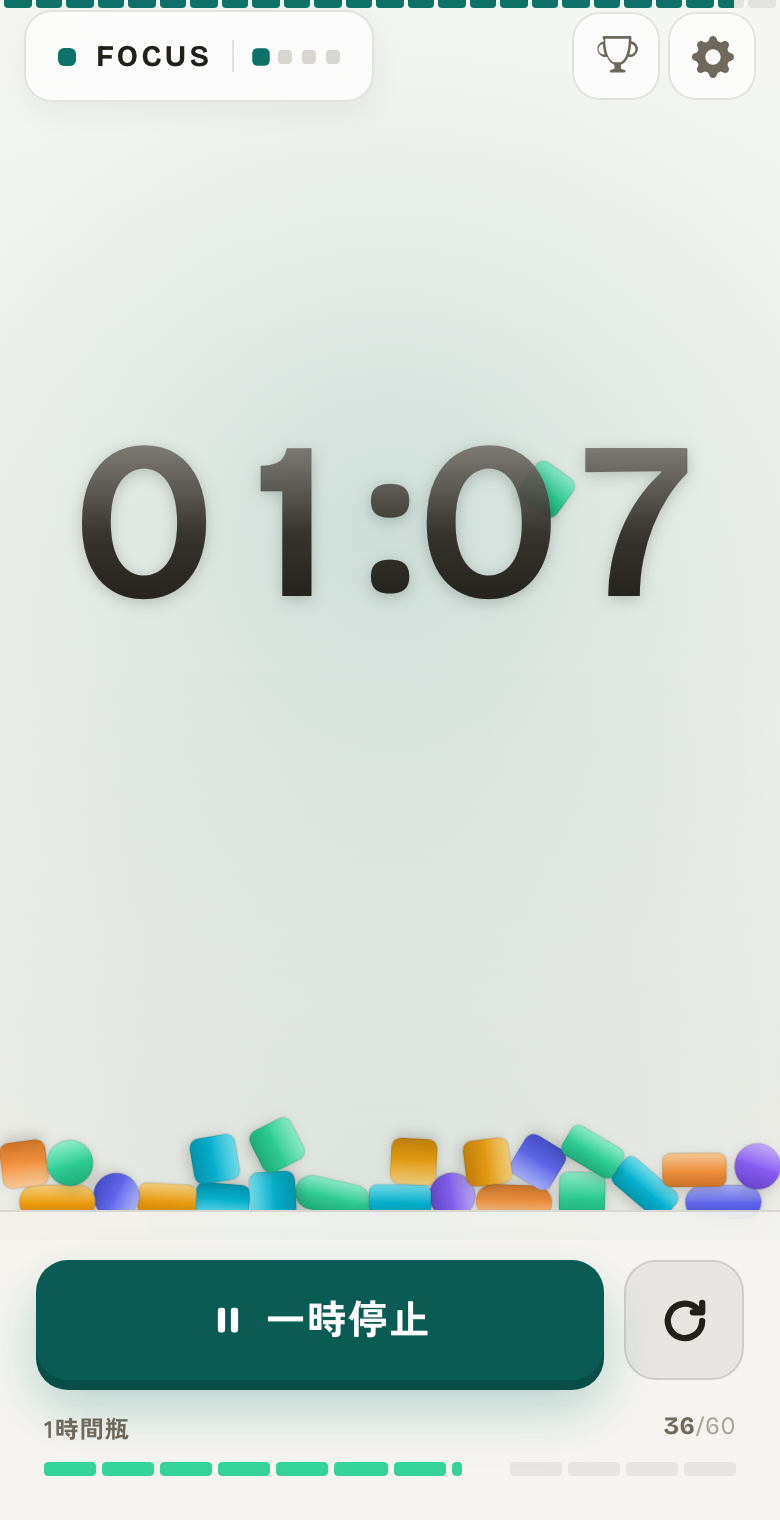
While you focus, one block per minute drops from the top and settles at the bottom. They fall with real physics, so the pile builds differently every time.
A countdown tells you what’s left. This pile tells you what you’ve already done. Over the same 25 minutes, the second one is much harder to abandon.
Switching tabs or turning the screen off doesn’t affect the clock. When you come back, every block you earned while away drops in at once, so the screen matches the time you actually spent.
Jars, and how skins unlock
When a session ends, the pile you built is poured into a jar. There are five sizes, and each one you fill goes onto the shelf.
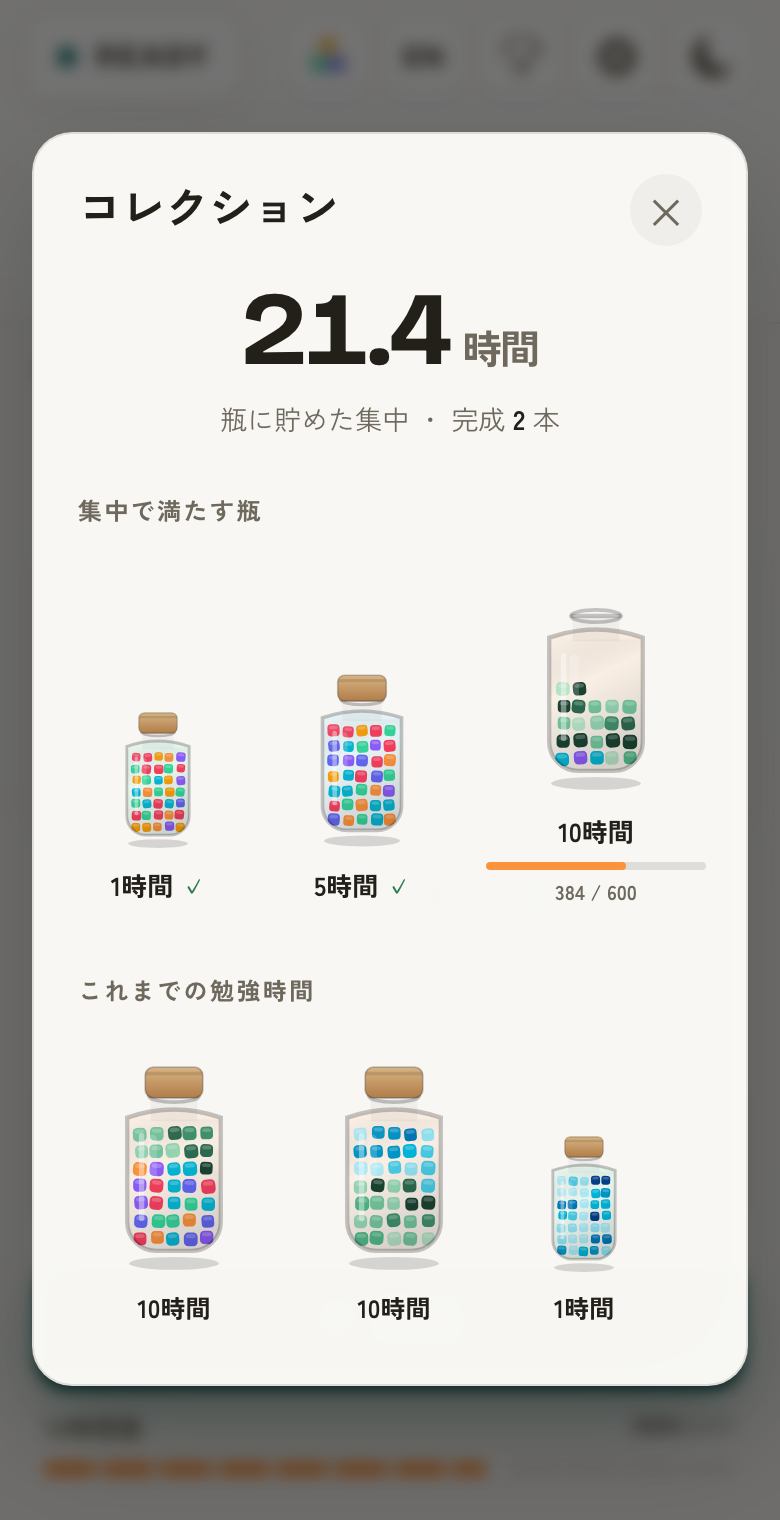
| Jar | Blocks needed | Focus time | Colour unlocked |
|---|---|---|---|
| 1-hour jar | 60 blocks | 1 hour | Moss (green) |
| 5-hour jar | 300 blocks | 5 hours | Tide (blue) |
| 10-hour jar | 600 blocks | 10 hours | Ember (orange) |
| 30-hour jar | 1800 blocks | 30 hours | Frost (silver) |
| 50-hour jar | 3000 blocks | 50 hours | Aurora (purple) |
Tracking what you worked on
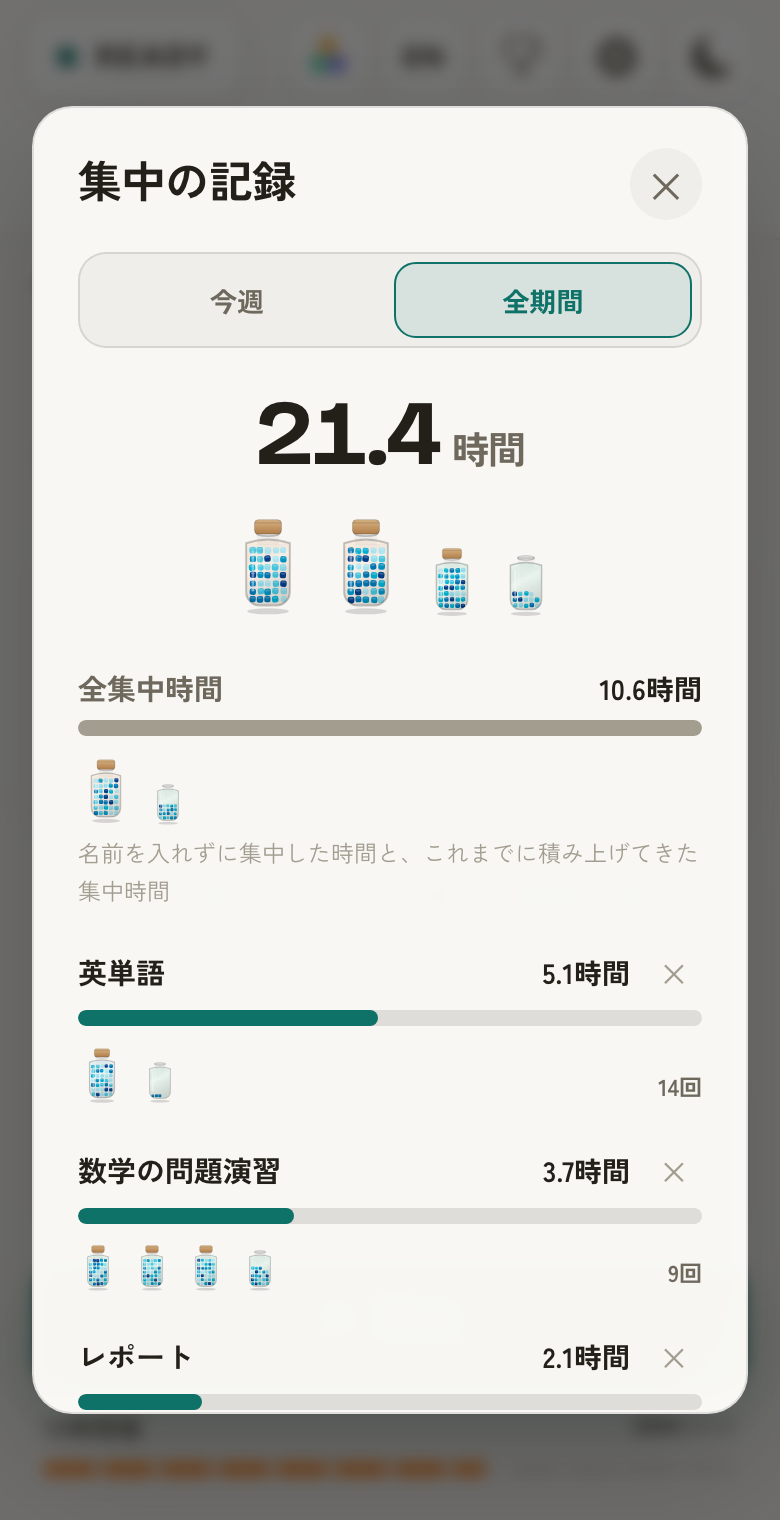
Type something into "What are you focusing on?" before pressing start, and each completed session adds its time to that topic. Write "vocabulary" or "report" and you can see hours per subject later.
The records screen toggles between this week and all time. Sessions you ran without a name — and all focus from before this feature existed — collect under “Total focus time”, so the records total always matches the collection total.
Scheduling a session
If your problem is "I meant to study at 10pm and forgot," there’s scheduling. Set a time and the days, and it either starts a session automatically or reminds you.
One caveat: if the browser is fully closed, no device will deliver that reminder. You’ll need the tab left open, or the app launched from your home screen (below). That’s a limit of the web, so we’d rather say it up front.
Installing it as an app (PWA)
Use your browser’s share menu and choose “Add to Home Screen”. It then launches full-screen with no address bar, one tap away.
This matters most on iPhone and iPad: a normal Safari tab has no notification API at all, so reminders only work when launched from the home screen icon. Desktop browsers and Chrome on Android can notify you from an ordinary tab.
Where your data lives
Your records, settings and unlocked skins are stored entirely in your browser. Nothing is sent to a server, which is why no account is needed.
The flip side: clearing browser data, changing devices, or using a private window means none of it carries over. Worth knowing before you set out after the 50-hour jar (3000 blocks).
Using FocusBlock — FAQ
Do my settings reset?
No. Settings are saved on your device, so the next time you open FocusBlock everything is as you left it. There’s no need to set the intervals again each session.
Can I interrupt a session?
Yes. Pause stops it at any point and you can resume; reset takes you back to the start. No blocks accumulate while paused.
How do I unlock more skins?
By filling jars. The 1-hour jar unlocks Moss, the 5-hour Tide, the 10-hour Ember, the 30-hour Frost and the 50-hour Aurora. Nothing is unlocked by paying or watching ads.
Does the timer pause when I switch tabs?
No. Elapsed time is measured from the start timestamp, so background tabs and a dark screen make no difference. The blocks you earned meanwhile drop in when you return.
Can I sync records between devices?
No. Data is stored only on your device and never sent to a server. That’s the trade for needing no account — there is no cross-device sync.