The Best Pomodoro Timer? Compare the Four Types First
Search for a Pomodoro timer and you’ll drown in options. But what stops people isn’t timer accuracy — it’s quitting after a week. So the thing to judge isn’t the feature list. It’s whether you’ll open it again tomorrow.
This guide compares the four types in a table, lays out five criteria worth checking, and finishes with FocusBlock — including who shouldn’t use it.
Narrow by type first
Before chasing product names, decide which type you want. Pomodoro timers fall into four groups, and they’re good at genuinely different things.
| Type | Setup cost | Keeps records | Suits |
|---|---|---|---|
| Kitchen timer (physical) | Twist it. Fastest | No | Anyone who wants the phone off the desk entirely. No screen at all is its superpower |
| Phone’s built-in timer | A few taps | No | Trying this today. The cost is resetting it every round — and touching your phone each time |
| Browser timer | Open a page | Varies | Desktop work. Nothing to install, so it works on a locked-down machine |
| Installed app | Sign-up + download | Yes, syncable | Building a record across devices. Strongest for the long haul |
Five things worth checking
Every timer can measure 25 minutes. The differences live elsewhere. These five narrow the field fast.
- Does it give you a reason to come back? (The big one. Accuracy is irrelevant if you quit on day three)
- Can you start immediately? (Sign-up and install raise the cost of beginning)
- Can you change the length? (25 minutes fits fewer people than you’d think)
- Does it stay out of the way? (Ads during focus, upgrade nags, noisy alerts — all self-defeating)
- Does the effort leave a trace? (Fuel for consistency — but check where the records live)
The catch hidden in "keeps records"
That fifth point deserves the most scrutiny, because storage comes in two flavours with opposite trade-offs.
Server-side storage needs an account, but your history survives a new phone and shows up on every device. Device-side storage needs nothing and never leaves your machine — but clearing browser data or switching devices wipes it. Neither is better. Pick based on which failure you can live with.
Where FocusBlock sits
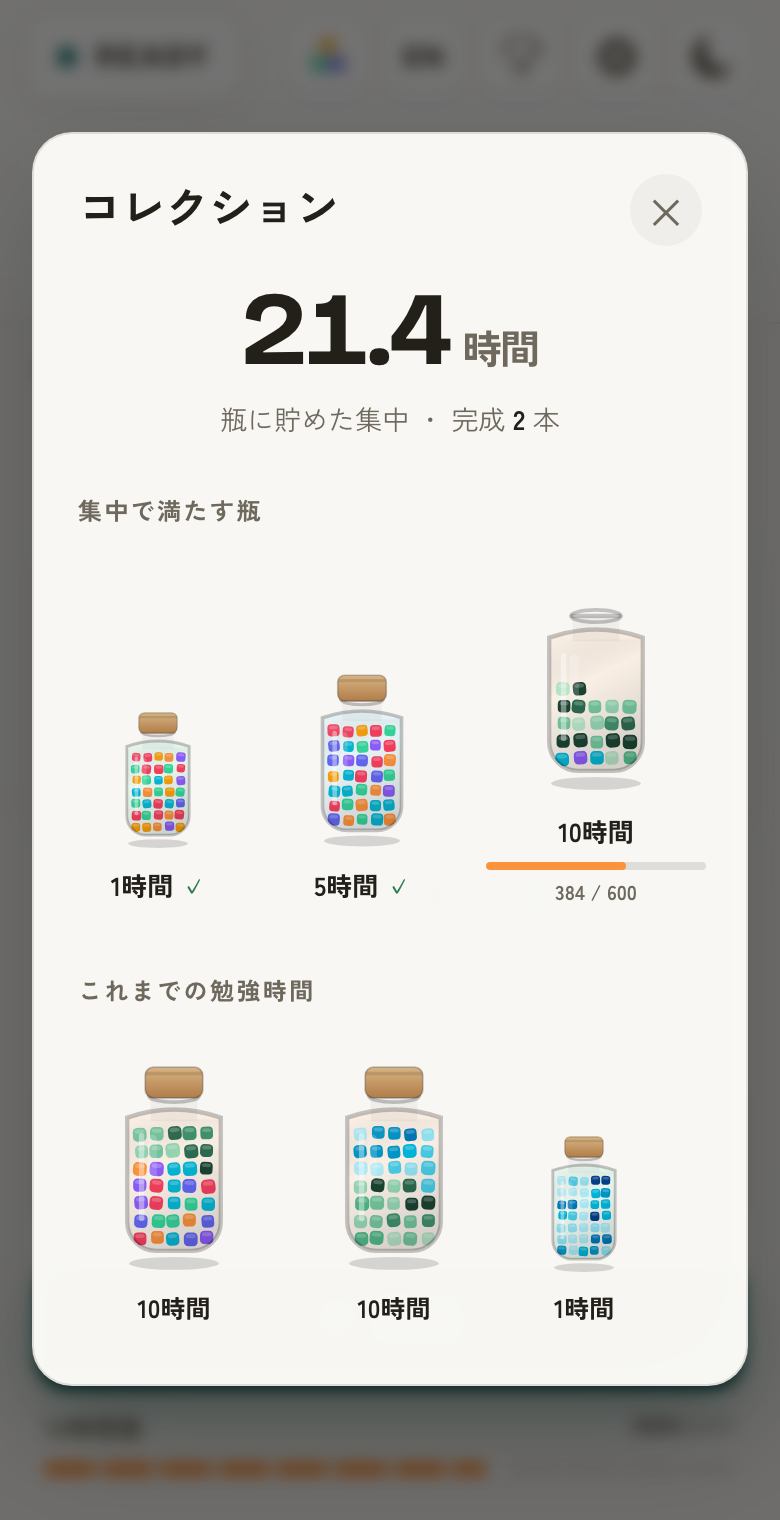
FocusBlock is a browser timer, built with most of its weight on the first criterion: giving you a reason to come back. Every minute of focus becomes one physical block that stacks up, and at the end of a cycle the pile pours into a jar.
Jars hold 1 hour (60 blocks), 5 hours (300), 10 hours (600), 30 hours (1800) and 50 hours (3000). Filling one unlocks a new block colour — so today’s 25 minutes always shows up as part of a running total, not an isolated number.
What it actually does
Measured against those criteria, concretely:
- No account, no install. Usable the second the page loads
- Focus 1–90 min, breaks 1–30 min, 1–8 rounds, all in one-minute steps
- No ads during focus — by design, they appear only during breaks and on article pages
- Type what you’re working on before you start and your hours are tracked by topic (this week / all time)
- Scheduling: start a session automatically at a set time, or just get reminded
- Data stays on your device. Nothing is sent to a server
Who it’s wrong for (honestly)
This isn’t a tool for everyone. If any of these describe you, something else will serve you better.
- You want records synced across devices → storage is local only. Pick an installed app
- You want tasks and timing in one place → FocusBlock deliberately ignores *what* to do and only measures *how much* you did
- You need it to ring with the browser closed → impossible on the web. A phone alarm or a physical timer is reliable
- You don’t want a screen involved at all → a kitchen timer matches that goal better
Choosing a timer — FAQ
So which should I pick?
If you mostly work at a computer and want to start today, a browser timer — nothing to install. If you want the phone off your desk entirely, a physical kitchen timer. If you want records that survive a new device, an installed app with sync.
Is a free Pomodoro timer good enough?
For most people, yes. Paid tiers usually buy detailed statistics or team features, neither of which helps you stay consistent. Run a free one for two weeks, see what’s actually missing, then decide.
Should I avoid timers with ads?
Judge by where they appear. Ads shown while you are focusing contradict the entire purpose of the tool. Ads during breaks or on article pages do little harm. FocusBlock shows none during the focus phase, by design.
Can I see FocusBlock’s data on another device?
No. Records are stored only in your browser and never sent to a server, which is what makes the no-sign-up experience possible. If cross-device history matters to you, choose an app with sync.