What Is a Pomodoro Timer? A Free One You Can Use Right Now
A Pomodoro timer alternates 25 minutes of focus with 5 minutes of rest to keep study or work moving. What separates it from a kitchen timer is that it handles the switching and the round count for you — so you can spend your attention on the work.
Alongside the basics, this guide covers the things you only discover after a few days: whether the clock drifts in a background tab, and which devices can actually notify you.
What a Pomodoro timer is
A Pomodoro timer measures "25 minutes on, 5 minutes off" according to the Pomodoro Technique. Alternating short bursts of focus with short rests keeps concentration going longer and makes it much harder to drift or procrastinate.
Your phone’s built-in timer can do the job. But you have to set 25 minutes by hand, stop it when it rings, then set 5 more — and every one of those steps puts the phone back in your hand. The tool you picked up to protect your focus becomes the thing that breaks it. That’s the real argument for a dedicated timer.
Free, no sign-up, runs in the browser
FocusBlock is a free Pomodoro timer with no account and no install. Open it on a phone or a computer and you can start immediately.
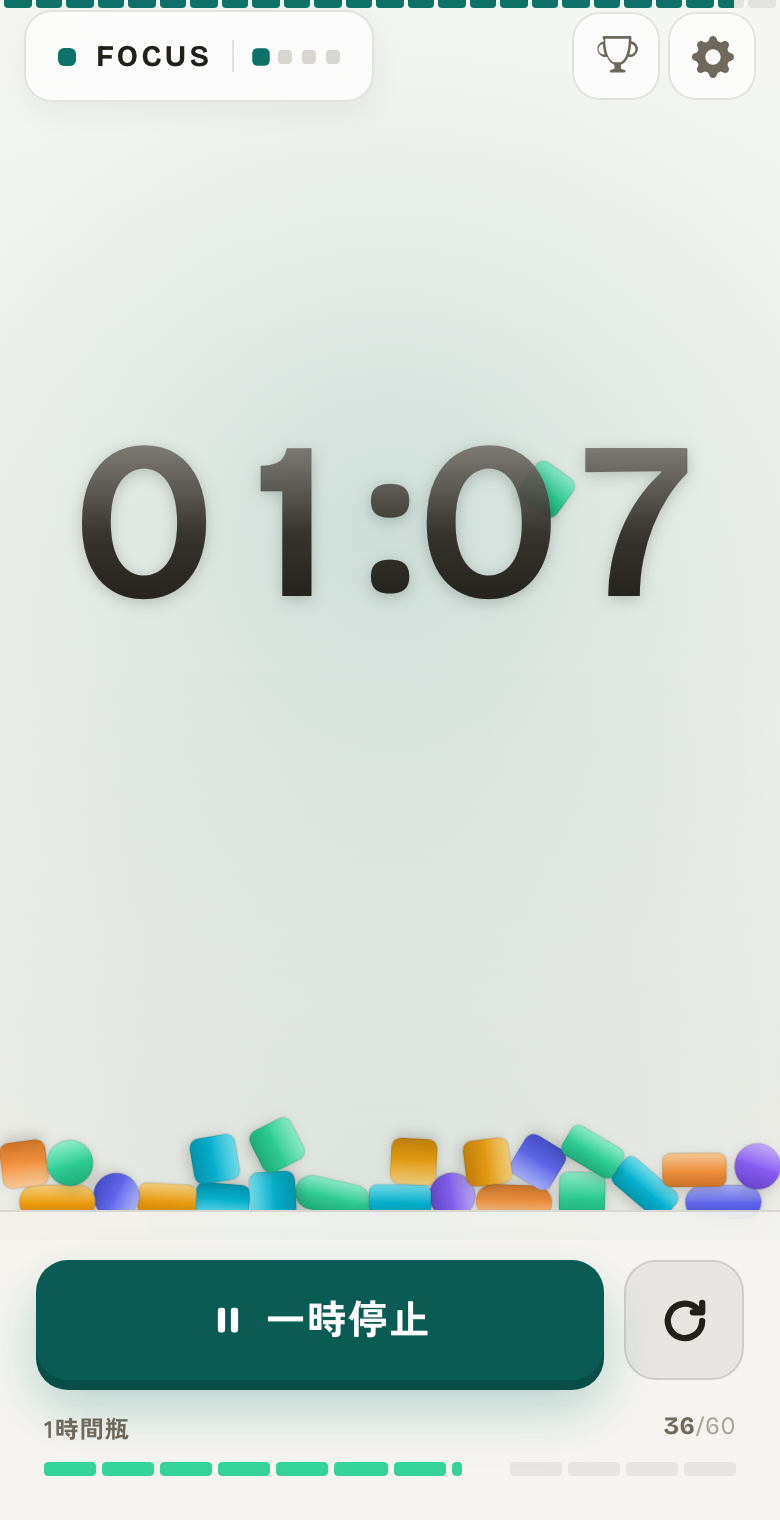
Every minute of focus becomes one block that falls and stacks on screen. A countdown only tells you how much is left; a growing pile tells you how much you’ve already done. Over the same 25 minutes, the second one is much harder to walk away from.
Using it to study
The trick when studying is to narrow each round to one subject or task. Not "do some English" — decide "50 vocabulary cards" before you press start.
- Pick one subject or topic (vocabulary, practice problems)
- Start 25 minutes and keep your hands off your phone
- Rest 5 minutes, then go again. A longer break after four rounds
- Adjust by material: 15–25 min for memorization, 25–45 min for anything requiring thought
Using it for work
The same applies to work. A 25-minute boundary lowers the cost of starting, which is usually the hard part.
It’s especially good at rescuing the 15–25 minutes between meetings. That length normally gets written off as "not enough time to start anything," but treated as one round it adds up to an hour or two across a day. Small gaps become usable the moment you give them a frame.
Background tabs don’t make the clock drift
A common failure with browser timers is that time slows down while you’re on another tab. Browsers deliberately throttle work in hidden tabs, so a naively built timer falls behind. That’s why "my 25 minutes somehow took 31" happens.
FocusBlock derives elapsed time from the start timestamp, so switching tabs or turning off the screen changes nothing. When you come back, the blocks earned in the meantime drop in together, and what’s on screen matches the time you actually spent.
When notifications can reach you (honestly)
The web has real limits here. Better to know before you rely on it.
- Desktop (Chrome / Edge / Firefox / Safari) and Chrome on Android: system notifications arrive even when the tab is in the background
- iPhone / iPad: notifications only work if you Add to Home Screen and open it from that icon. A normal Safari tab has no notification API at all
- Everywhere: if the browser is fully closed, nothing arrives. That applies to web apps in general, not just this one
Habits that make it work
The timer only builds the frame. These four fill it.
- During the 25, notifications off and the phone out of sight
- During the 5, get away from the screen — stand up, look at something far away
- One task at a time; anything else that surfaces gets written down and deferred
- Start at the same time each day. Once it’s a habit, you stop negotiating with yourself about whether to begin
What makes FocusBlock different
In FocusBlock, focused minutes stack up as blocks, and at the end of a cycle the pile is poured into a jar. Jars come in 1, 5, 10, 30 and 50 hours, and each one you fill unlocks a new block colour.
So the record doesn’t stop at "I did 25 minutes today" — it shows where that sits in your running total. If your motivation swings day to day, that difference matters.
Pomodoro timer FAQ
Is it really free?
Yes. Every feature in FocusBlock is free with no sign-up. Open it in a browser and start. There is no paid tier and nothing is locked behind a purchase.
Does the clock drift if I switch tabs?
No. Elapsed time is measured from the start timestamp, so background tabs and a dark screen make no difference. When you return, the blocks earned while you were away drop in together.
Will it notify me if the app is closed?
No. If the browser is fully closed, no device will get the notification. Desktop and Chrome on Android work with the tab in the background. On iPhone and iPad you need to Add to Home Screen and open it from there.
What length should I use?
25 minutes of focus and 5 of break is the default. Use 15 for memorization or 50 for deep work — anything from 1 to 90 minutes, in one-minute steps.
Can I see my records on another device?
No. Records are stored only in your browser and never sent to a server. That’s what makes the no-sign-up experience possible, but it also means there’s no sync — and clearing browser data clears the records.