How to Do Deep Work with a Pomodoro Timer
A whole day of shallow focus with nothing to show for it — deep work changes that. With a Pomodoro timer, design longer focused blocks and breaks, and you build the very ability to concentrate deeply.
What is deep work?
Deep work is working with full concentration on one thing, undisturbed by notifications or busywork. Unlike shallow work like answering email, it drives real output and learning. Pomodoro is the perfect tool to protect that deep focus with time.
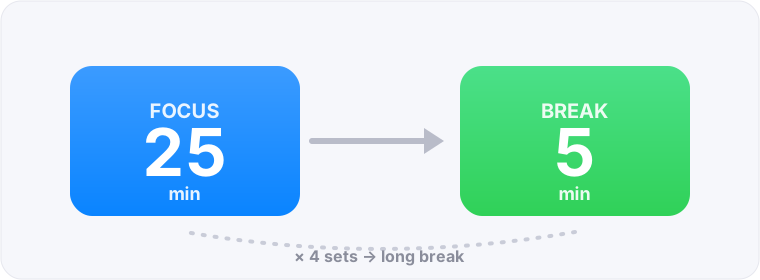
Pomodoro settings for deep focus
Deep work suits longer sets than the default.
- Base: 50 min focus + 10 min break (for deep work)
- New to it? Start with 45 min focus + 5–10 min breaks
- Use 2–3 blocks to clear your hardest work in the morning
Cut notifications and multitasking
The biggest enemies of deep focus are notifications and multitasking.
- During a block, turn off all notifications and keep your phone elsewhere
- Close tabs and chats; work on only one task
- Batch email and chat replies into set times
Getting into deep focus (warm-up)
You don’t drop into deep focus instantly. Treat the first 10–15 minutes as a runway, and use the same entry ritual each time (same place, same music) to switch into focus mode more easily.
Breaks that sustain deep focus
Quality breaks power the next block.
- On breaks, step away from the screen (walk, look far, hydrate)
- Skip social media and news (shallow input makes it hard to return)
- After a long block, rest 15–30 minutes to recover
Deep work FAQ
How many minutes for deep work?
Around 50 minutes of focus plus a 10-minute break. Start shorter (like 45) if you’re new, then tune it to how long your focus lasts.
25 minutes feels too short.
Deep work suits longer sets like 50 minutes. FocusBlock lets you set the focus time freely, so you can go long for deep sessions.
I can’t get into focus mode.
Treat the first 10–15 minutes as a runway and use the same entry ritual each time. On low-motivation days, just start 25 minutes.