Pomodoro Settings for Programming and Creative Work
Coding and creative work get done when you reach deep flow. Used with longer settings, a Pomodoro timer protects that flow while preventing burnout from long sessions.
Pomodoro settings that fit programming
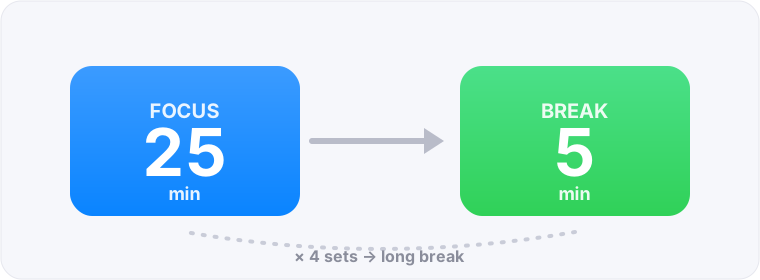
Coding takes a while to get into, so longer sets work better than the default 25 minutes. A good target is 50 minutes of focus + a 10-minute break. Go deep first, then step away at the break to reset.
Protecting flow
Deep focus (flow) takes time to rebuild once broken.
- If the timer rings mid-problem, finish to a natural stopping point before the break
- Before the break, jot one line on “what to do next”
- Don’t take interruptions; treat the block as “time to go deep”
How to split tasks
Break big work into block-sized pieces.
- Aim for one feature / one ticket per block
- Split heavy features into “design,” “build,” “test” across blocks
- The blocks you finish become your progress record for the day
Cut notifications and multitasking
The biggest enemies of focus are notifications and multitasking. During a block, turn off all notifications and check Slack and email at set times. Working on just one task improves both code quality and speed.
When stuck, and using breaks
Stuck on a bug or design? Deliberately taking a break helps. Walking or taking a shower often lets ideas surface while you’re away. Explaining the problem out loud (“rubber duck” debugging) is worth trying around your breaks too.
Programming & creative FAQ
How many minutes for coding?
Since it takes time to get into, longer sets like 50 minutes of focus + a 10-minute break work well. FocusBlock lets you set the focus time freely.
The 25-minute ring breaks my flow.
Use longer settings, or when you’re in good flow, keep going to a natural stopping point before breaking. Pomodoro is a tool, not a rule.
What if I can’t focus?
Turn off all notifications and narrow to one task. If you’re stuck, take a break — the solution often appears while you’re away.